
Check your balance
On this server, /points displays your current Credits balance. New players begin with 100 Credits, so the pictured starting balance is representative of the current configuration.
Type this in Minecraft chat/points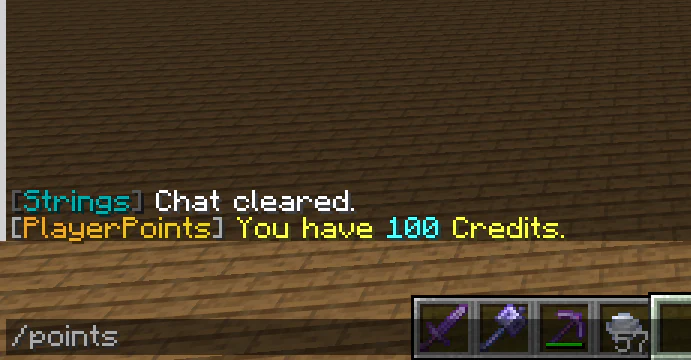
Minecraft chat shows /points and a PlayerPoints balance of 100 Credits. Earning points
PlayerPoints currently has no automatic earning method enabled. A 100-Credit voting reward is configured but disabled. Players can still receive Credits from other players or through successful QuickShop sales.
Transferring points
Use /points pay <player> <amount> to send at least 1 Credit directly. There is no transfer fee or configured maximum. Check the username and amount carefully. The playerpoints.pay permission defaults to server operators, so ordinary players can transfer only after that permission has been granted through the server permissions system.
Type this in Minecraft chat/points pay <player> <amount>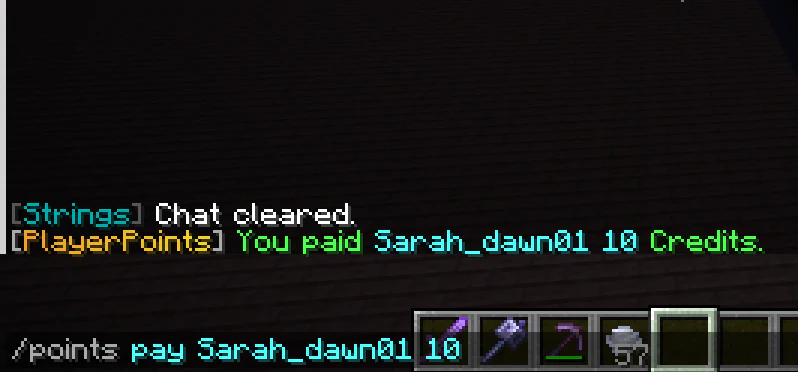
Minecraft chat confirms a 10-Credit PlayerPoints transfer to another player. Using points in shops
QuickShop charges and credits the server’s Credits economy through the configured economy bridge. Read the shop sign and transaction response, then check your balance if a purchase result is unclear.
A deliberately simple economy
The goal is useful community trading, not speculation or complicated banking. Keep trades clear and confirm the amount before accepting.
Handling mistakes or exploits
If a balance changes unexpectedly, stop the transaction, preserve screenshots and timestamps, and contact a moderator. Do not test a suspected duplication method repeatedly.
Information to include in a currency report
- Your Minecraft username and the other player or shop involved.
- The approximate date and time.
- The amount expected and the amount actually shown.
- Screenshots or video showing messages and balances, when available.